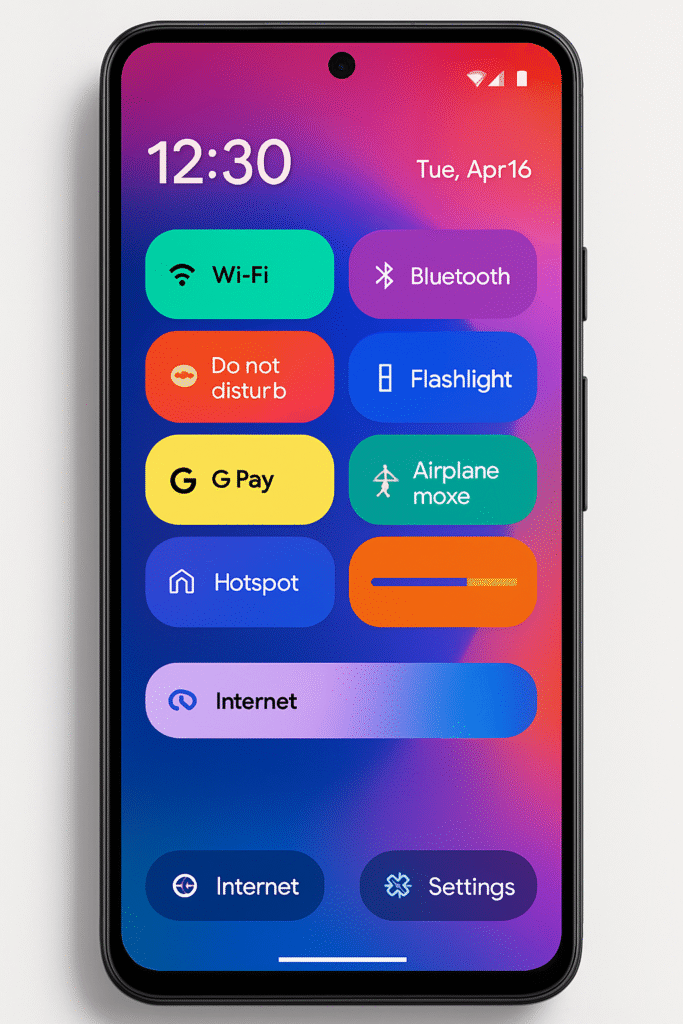

Google just rolled out the much-anticipated Android 16 QPR1 update for Pixel devices, and it’s packed with exciting new features for users who love customizing their smartphones. Alongside performance improvements and security patches, the update brings fresh Material 3 Expressive design elements, a more polished Quick Settings panel, and even a hidden way to organize your shortcuts more efficiently.
For years, Pixel owners have praised Google’s software-first approach, but simplicity often meant there wasn’t much room for playful or functional visual improvements. That’s changing now. With Material 3 Expressive, new customization options, brighter aesthetics, and improved usability redefine the Pixel experience. But the update doesn’t stop there—it hides a smarter way to rearrange Quick Settings tiles that many users might completely miss unless they know where to look.
Let’s dive deep into all the new changes, explore the hidden features, and see how they impact your daily use of the Pixel.
Material 3 Expressive Design: A Brighter Pixel Experience
Perhaps the biggest highlight of Android 16 QPR1 Update is the evolution of Material You into Material 3 Expressive. Think of this as a more lively, colorful, and adaptive design system that still feels minimalist but adds flexibility for personalization.
What’s New in Material 3 Expressive?
- Dynamic Colors, Supercharged – Your Pixel now adapts your wallpaper colors more vividly across system menus, widgets, and supported apps.
- Emphasis on Depth – Shadows, layered buttons, and updated animations make the UI feel modern and fluid.
- Bolder Fonts & Icons – Cleaner typography enhances readability, while refined iconography makes app identification quicker.
- Refined Layouts – More logical alignment in quick toggles, notifications, and system menus means less hunting for the setting you want.
Google is clearly positioning Material 3 Expressive not only as aesthetically pleasing but also as a usability upgrade that cuts down the time you spend navigating menus.
Quick Settings: Redesigned & Smarter
Quick Settings has always been one of Android’s most powerful tools—letting you toggle Wi-Fi, Bluetooth, flashlight, and more in a couple of taps. With the Android 16 QPR1 update, this area sees its biggest redesign in years.
Improvements in Quick Settings
- Revamped Tile Editor – No more endless scrolling through a messy panel. Tiles are now grouped into categories for better organization.
- One-Tap Add/Remove – Instead of dragging tiles in and out, you now have a handy shortcut to instantly add or remove them.
- Bigger, Cleaner Tiles – Every tile is slightly larger, easier to press, and more aligned with the Material 3 aesthetic.
But beyond these improvements lies a hidden trick that makes managing Quick Settings easier than ever.

Hidden Trick: Double-Tap to Reorganize Quick Settings
Previously, arranging Quick Settings was slightly frustrating—you had to long-press and drag tiles while awkwardly scrolling, often dropping them in the wrong spot. Now, Android 16 QPR1 Update introduces a secret method for managing these tiles:
- Step 1: Open the Quick Settings editor.
- Step 2: Double-tap any tile to select it. The text at the top will change to “Tap to position tile.”
- Step 3: Simply tap on the location where you want the tile to move—even if it’s already occupied. The system shifts it automatically.
This small tweak brings precision and speed to customization. No more misplacing icons or dealing with tiles that jump around as you drag.
It feels like a minor change, but for people who regularly adjust their Pixel’s layout, it’s a game-changer.
Why Google Kept It Hidden
One curious thing is that Google didn’t highlight this feature anywhere—there’s no prompt, guide, or hint that double-tapping tiles opens this functionality. It’s as though the company wanted only power users to discover it.
This hidden trick reflects a growing trend in smartphone design—features tucked away for enthusiasts who enjoy exploring their devices. Just like hidden developer options or Easter eggs, this secret toggle method rewards users who dig deeper.
Other Subtle Enhancements in Android 16 QPR1
Alongside Material 3 Expressive and Quick Settings changes, the update also introduces:
- Improved Accessibility Controls – Easier-to-read text sizing and stronger contrast options.
- Better Battery Smart Features – Adaptive Battery now predicts app usage patterns more efficiently.
- Performance Optimization – Animations feel snappier, app switching is smoother, and scrolling latency has been reduced.
- Privacy Dashboard Tweaks – More transparency on how apps access microphone and camera in real time.
These changes may not grab headlines, but they add to the overall polish of the Pixel ecosystem.

Pixel Update Pros & Cons
Here’s an honest look at what’s great and what could still improve with this update:
✅ Pros
- Fresh, customizable Material 3 Expressive design.
- Revamped Quick Settings panel for faster controls.
- Hidden double-tap trick for organizing tiles.
- Improved performance and responsiveness.
- Better privacy and security transparency.
❌ Cons
- Hidden features may confuse casual users.
- Some UI tweaks feel inconsistent across apps.
- Non-Pixel Android phones might not see these updates soon.
- Few groundbreaking new features beyond cosmetics.
Why This Update Matters
With Android 16 QPR1, Google isn’t reinventing the Pixel—it’s refining it. By focusing on small but meaningful changes like better Quick Settings management and the Material 3 Expressive design language, Google ensures the device feels modern, intuitive, and fresh.
For Pixel users, this means smoother daily interactions, more personalization, and fewer frustrations when customizing phone layouts. It also keeps Google ahead of competitors by showing that updates don’t always need flashy features—sometimes polish is enough.
Conclusion
The Pixel’s latest Android 16 QPR1 update reflects Google’s ongoing mission to balance design aesthetics with smart functionality. The Material 3 Expressive design refreshes the UI, while the hidden Quick Settings trick gives users a new sense of control over customization. Together, these updates ensure that the Pixel series continues to evolve as the smartphone for enthusiasts who love beautiful, user-friendly software.
If you own a Pixel, it’s worth exploring the new Quick Settings revamp and taking advantage of the double-tap-to-move feature—it’s one of those small, hidden touches that makes you appreciate Android’s flexibility.