Introduction
The Apple Watch has long been hailed as a life-saving gadget with features like ECG monitoring, fall detection, and irregular rhythm notifications. Now, Apple has taken another bold step toward preventive healthcare: hypertension alerts. With the launch of watchOS 26 and iOS 26, supported Apple Watch models can now alert users to possible signs of high blood pressure—a condition often called the “silent killer.”
This new feature could be a breakthrough for millions of people who are unaware they may be at risk. But how exactly does it work, and who can use it? Let’s dive in.
Why Hypertension Matters
High blood pressure affects over 1.28 billion adults worldwide, according to the World Health Organization, and many go undiagnosed. In India alone, reports suggest that nearly one in four adults has hypertension, and the numbers are steadily rising due to sedentary lifestyles, stress, and poor diet.
The problem with hypertension is that it rarely has obvious symptoms, yet it can silently lead to heart disease, stroke, kidney problems, and more. That’s where Apple’s new feature could make a real difference—by identifying potential risks early on and urging users to seek professional care.
Supported Apple Watch Models
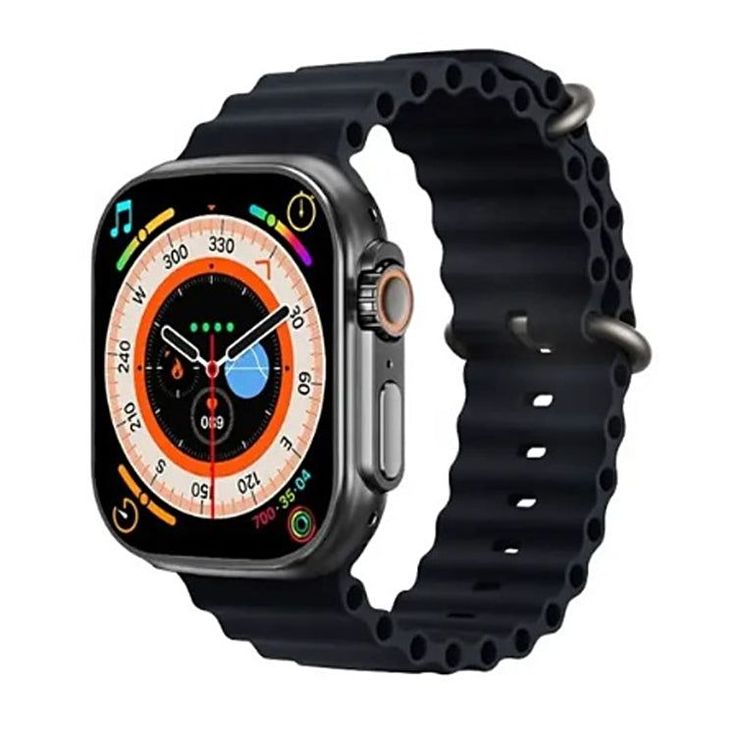
Not every Apple Watch will support hypertension alerts. The feature is currently limited to the latest hardware:
- Apple Watch Series 9
- Apple Watch Series 10
- Apple Watch Series 11
- Apple Watch Ultra 2
- Apple Watch Ultra 3
If you’re using an older model, you won’t be able to access this feature even after updating to watchOS 26.
Who is Eligible to Use Hypertension Alerts?
Apple has built in some eligibility requirements to ensure accurate and reliable alerts:
- Users must be 22 years or older
- Users must not be pregnant
- Users must not already have a confirmed hypertension diagnosis
- Wrist detection must be enabled on the watch
This ensures the feature is targeted toward prevention and early detection, not for those already under clinical treatment for high blood pressure.
How to Enable Hypertension Alerts on Apple Watch
Setting up hypertension tracking is straightforward but requires a paired iPhone running iOS 26. Here’s how to do it:
Step-by-Step Guide
- Ensure your Apple Watch is updated to watchOS 26.
- Open the Health app on your iPhone.
- Navigate to the Heart section.
- Look for Hypertension Alerts and tap Set Up.
- Complete a short eligibility questionnaire.
- Enable Wrist Detection in Watch Settings.
Once set up, your Apple Watch will begin monitoring your heart-related data in the background and build a baseline profile over the next 30 days.
How Does Apple Watch Detect Hypertension Without Measuring Blood Pressure?
Here’s where it gets interesting—the Apple Watch doesn’t directly measure blood pressure like a cuff. Instead, it takes a more innovative approach:
- The optical heart sensor measures how blood vessels expand and contract with each heartbeat.
- An advanced algorithm analyzes these patterns for irregularities that may suggest elevated blood pressure.
- After a 30-day observation window, the system determines whether to issue a hypertension alert.
This indirect measurement is not a substitute for professional medical equipment but acts as an early warning system for users.

What Happens After You Receive an Alert?
Getting a hypertension alert does not immediately mean you have high blood pressure. Instead, it’s a signal to take action:
- The watch will recommend logging blood pressure readings using a third-party cuff.
- Users should record readings for 7 consecutive days and manually add them to the Health app.
- Apple advises scheduling a visit with a healthcare professional to review the data.
This step ensures that while the Apple Watch provides valuable early insights, only a certified doctor makes the final diagnosis.
Real-World Impact: Why This Feature Matters
Apple estimates that this feature could identify over one million people with undiagnosed hypertension in its first year. That’s huge. For those who may otherwise go years without diagnosis, a gentle wrist tap notification might just be the life-saving nudge they need.
Consider this:
- Many young professionals in their 20s and 30s ignore regular health checkups. An Apple Watch alert could bring attention to hidden risks.
- In rural or underserved areas where healthcare access is limited, early detection from a wearable could bridge crucial gaps.

Pros and Cons of Apple Watch Hypertension Alerts
Pros
- Early detection of potential high blood pressure
- Seamless integration with Apple’s Health app
- Encourages regular doctor visits and lifestyle changes
- Non-invasive and works in the background
- Helps millions at risk without symptoms
Cons
- Only available on new models (leaving out older watch users)
- Requires third-party cuff for confirmation
- Not suitable for people already diagnosed with hypertension
- May cause unnecessary worry for some users
Future Possibilities for Apple Watch Health Features
Apple has been steadily transforming its smartwatch into a personal health guardian. With ECGs, fall detection, sleep tracking, fertility tracking, and now hypertension alerts, the company is clearly focused on healthcare innovation.
Experts believe that future iterations might include:
- Direct continuous blood pressure measurement without cuffs
- Integration with AI-driven predictive health analytics
- More robust tools for chronic disease management
If Apple continues this trajectory, the watch may become an indispensable medical companion in the years ahead.
FAQs
Can the Apple Watch diagnose hypertension?
No. The Apple Watch cannot provide a medical diagnosis. It can only detect patterns that may suggest high blood pressure and prompt you to see a healthcare provider.
Do all Apple Watch models support hypertension alerts?
No. Only the Apple Watch Series 9, Series 10, Series 11, Ultra 2, and Ultra 3 support this feature with watchOS 26.
Do I still need a blood pressure monitor if I have this feature?
Yes. If your Apple Watch issues a hypertension alert, you’ll need to confirm it using a traditional cuff-based monitor and share the readings with your doctor.
Does Apple Watch measure blood pressure directly?
No. It uses heart sensor data and algorithms to spot signs of hypertension but does not measure blood pressure like medical equipment.
What should I do if I get an alert?
If you receive an alert, log blood pressure readings for seven days with a third-party cuff, record them in the Health app, and consult a doctor.
Conclusion
The introduction of hypertension alerts on the Apple Watch marks another milestone in Apple’s mission to democratize preventive healthcare. While it’s not a replacement for medical advice, this feature empowers users with actionable insights that could save lives. For millions of people living with undiagnosed high blood pressure, this tiny device on their wrist might just become their biggest health ally.