Apple has officially rolled out the iOS 26 Public Beta, offering iPhone users a sneak peek into the latest innovations, UI upgrades, and AI-powered capabilities that are coming to the iPhone ecosystem. While the developer beta was released earlier, the public beta makes it easier for everyday users to get hands-on experience with the update—without the technical hurdles.
But the biggest buzz around iOS 26? It’s Apple Intelligence—Apple’s advanced AI layer that promises to supercharge your iPhone’s capabilities.
Not all iPhones will get the full experience though, and in this guide, we’ll break down:
- What’s new in iOS 26
- Which iPhones support the iOS 26 Public Beta
- Which iPhones get Apple Intelligence features
- Step-by-step installation guide
- What to expect from the final release
Let’s dive into the most important iOS update of the year!
🌟 What is iOS 26? An Overview
iOS 26 is the latest operating system for Apple’s iPhone lineup, set for full release in September 2025 alongside the iPhone 17 series. However, Apple has already made the public beta available to all eligible users.
This update is more than just performance and UI tweaks—Apple is introducing “Apple Intelligence”, their official AI-powered assistant baked into the core of iOS. It’s designed to:
- Summarize text and emails
- Offer proactive suggestions
- Edit and rewrite messages
- Enhance Siri with better contextual understanding
- Generate content and smart replies
This marks a major shift in how iPhones work—and which iPhones can keep up.

📱 Full List of iPhones That Support iOS 26 Public Beta
Whether you have an older iPhone or the latest flagship, here’s a detailed breakdown of which iPhones can install iOS 26 Public Beta—and whether they will get the new Apple Intelligence features.
✅ iPhones That Support iOS 26 Public Beta (Without Apple Intelligence)
These models can install iOS 26 and access the standard features, but won’t get Apple Intelligence:
- iPhone 11
- iPhone 11 Pro
- iPhone 11 Pro Max
- iPhone 12
- iPhone 12 Mini
- iPhone 12 Pro
- iPhone 12 Pro Max
- iPhone 13
- iPhone 13 Mini
- iPhone 13 Pro
- iPhone 13 Pro Max
- iPhone 14
- iPhone 14 Plus
- iPhone 14 Pro
- iPhone 14 Pro Max
- iPhone 15
- iPhone 15 Plus
Even the newer iPhone 15 and 15 Plus miss out on AI features, which are reserved for Pro models only. Still, you’ll benefit from performance improvements, new customization tools, and enhanced privacy controls.
🤖 iPhones That Support iOS 26 Public Beta With Apple Intelligence
To experience Apple’s full AI suite, you’ll need one of the following devices:
- iPhone 15 Pro
- iPhone 15 Pro Max
- iPhone 16
- iPhone 16 Plus
- iPhone 16 Pro
- iPhone 16 Pro Max
These devices feature the A17 Pro chip or newer, which Apple says is required to support the complex processing that Apple Intelligence demands.
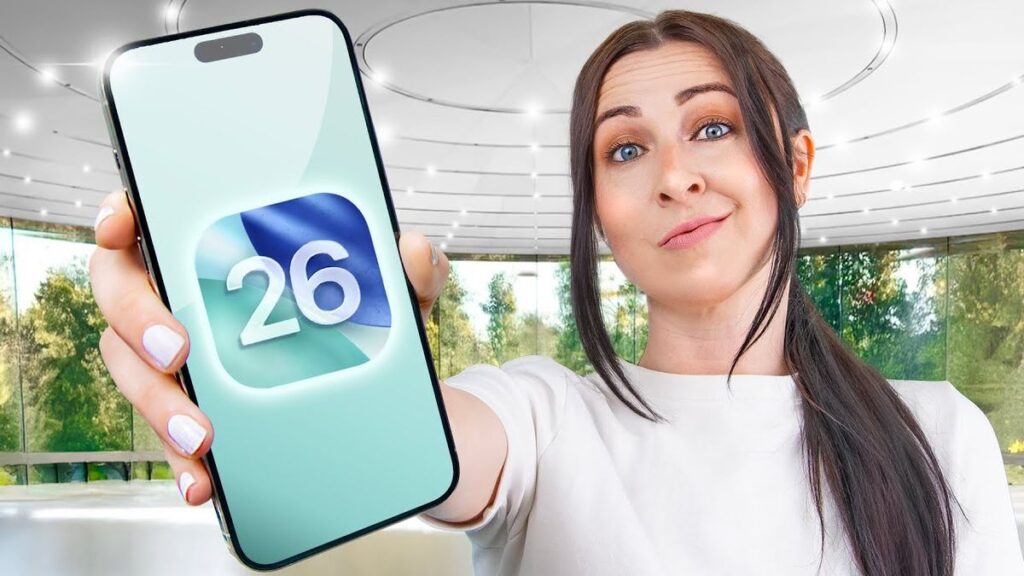
🧠 What is Apple Intelligence?
Apple Intelligence is Apple’s new personal AI assistant that lives on your device. It combines machine learning with user context to enhance productivity and communication.
Key features include:
- Smart email summaries
- Rewritten messages based on tone
- Priority notifications
- Image generation
- Smart reply and scheduling
- More advanced Siri capabilities
Note: All Apple Intelligence processing is done on-device or via Apple’s secure private cloud, ensuring privacy and security.
🔧 How To Install iOS 26 Public Beta (Step-by-Step Guide)
Want to try iOS 26 on your iPhone before the official release? Follow these simple steps to install the public beta:
- Visit the official Apple Beta Software Program site
- Sign in using your Apple ID
- Enroll your device in the iOS 26 beta program
- Open Settings > General > Software Update
- Tap on Beta Updates and select iOS 26 Public Beta
- Download and install the update
- Enter your iPhone’s passcode to authenticate
- Restart your iPhone to complete the installation
⚠️ Important: Beta versions can be buggy. It’s advised to back up your device and avoid installing it on your primary phone.
🆕 iOS 26 Features You’ll Love
Aside from Apple Intelligence, iOS 26 packs several exciting upgrades for all supported devices:
1. Revamped Control Center
More customization options, widgets, and layout flexibility to tailor your iPhone experience.
2. App Locking
Secure sensitive apps (like Photos or Messages) with Face ID or passcode.
3. Smarter Siri
Even without full AI, Siri gets better contextual understanding and offline processing.
4. Redesigned Notifications
Grouped alerts, smarter suggestions, and better Do Not Disturb controls.
5. Updated Safari
Improved privacy features and tab grouping for more organized browsing.
6. New Accessibility Tools
Enhanced voice control, real-time audio descriptions, and adaptive touch features.
🗓️ iOS 26 Final Release Date
Apple plans to roll out the final stable version of iOS 26 in September 2025, alongside the launch of the iPhone 17 series. If you’re not ready for beta testing, waiting until the stable release ensures a smoother experience.
🚨 Should You Install iOS 26 Public Beta?
Here’s a quick pros and cons list to help you decide:
Pros:
- Access to new features early
- Experience Apple Intelligence (on supported devices)
- Helps Apple improve stability before final release
Cons:
- Potential bugs and crashes
- Incompatibility with certain apps
- Not ideal for your main/primary device
If you’re a tech enthusiast or developer, it’s a fantastic preview. If you’re concerned about stability, wait for the final rollout.
🔚 Final Thoughts
Apple’s iOS 26 is shaping up to be a game-changer with the launch of Apple Intelligence and a wave of performance, security, and personalization upgrades. The public beta offers a great opportunity to try these features early, especially if you’re using the iPhone 15 Pro or newer.
As Apple continues to push the boundaries of AI and privacy-focused design, staying updated with the latest iOS trends ensures your device stays fast, smart, and secure.
📢 For more updates, tutorials, and Apple news, bookmark TipsRocket.in and never miss an iOS update again!