
The vintage saree look is back in style with a futuristic twist—thanks to Google Gemini’s Nano Banana AI editing tool. This exciting new AI-powered trend is taking Instagram by storm, turning everyday selfies into magical, retro Bollywood-inspired portraits. If you’re eager to nail the glamorous 90s-style saree vibe with AI-generated photos, this guide will walk you through the best prompts, tips, and creative ideas to get noticed on social media.
What Is the Gemini AI Saree Trend?
Google’s Gemini AI Nano Banana tool makes it easy to transform your photos into cinematic pieces reminiscent of classic Bollywood film posters from the 90s. Using carefully crafted textual prompts, users can direct the AI to dress them in flowing chiffon sarees, create nostalgic color palettes, add vintage grainy textures, and simulate warm golden-hour lighting. From enigmatic black sarees to playful polka dots and rich Banarasi brocades, the AI does the heavy lifting for your perfect retro makeover.
- The trend is a blend of nostalgia, fashion, and AI creativity.
- It transforms ordinary portraits into shareable vintage-style film posters.
- Ideal for Instagram reels, story highlights, and profile enhancements.
Best Gemini AI Saree Prompts for Retro Bollywood Photos
The key to perfect AI saree photos lies in the prompts you give the tool. Here are some of the most effective viral prompts to try:
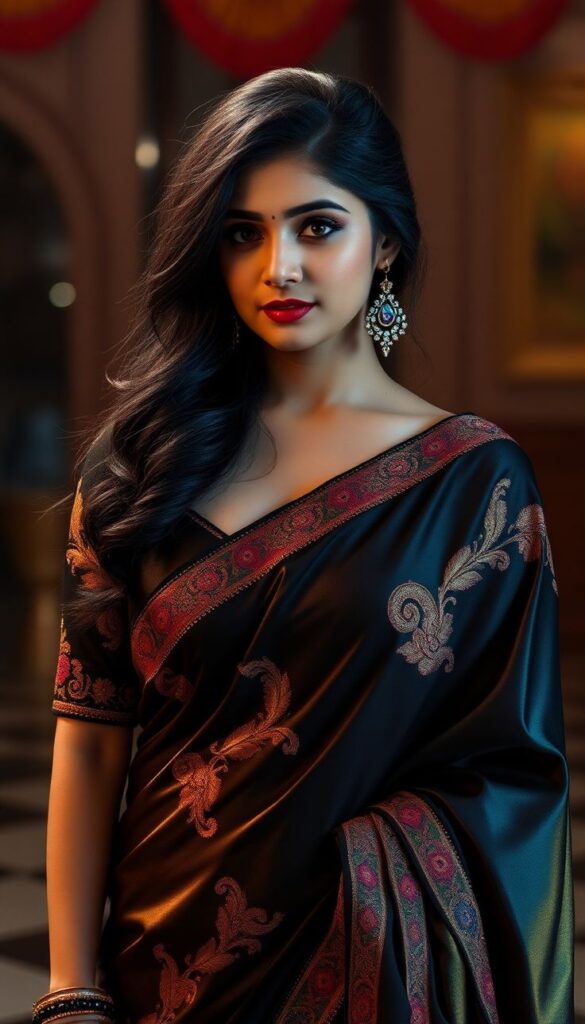
Classic Black Saree
“Turn this person into a 90s retro-inspired portrait wearing a shimmering black chiffon saree. The background is a deep wall with dramatic shadows, lit by golden-hour tones. Expression is calm yet mysterious, evoking old Bollywood posters.”
White Polka-Dot Saree
“Create a realistic portrait of a woman in a translucent white polka-dot saree with matching blouse. A soft pink flower is tucked behind her ear, and warm light from the side casts a cinematic shadow. She exudes vintage diva energy.”
Red Saree Drama
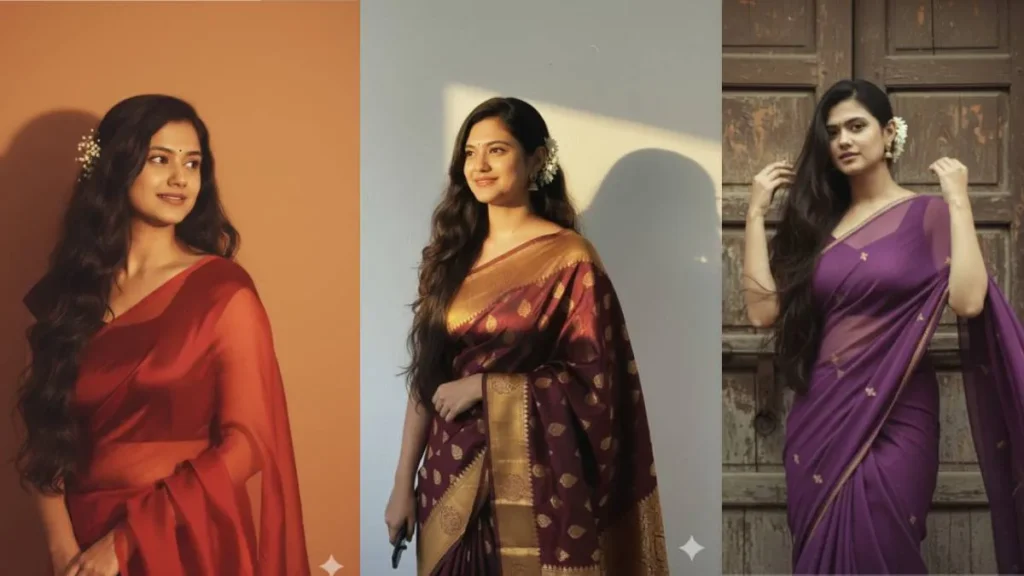
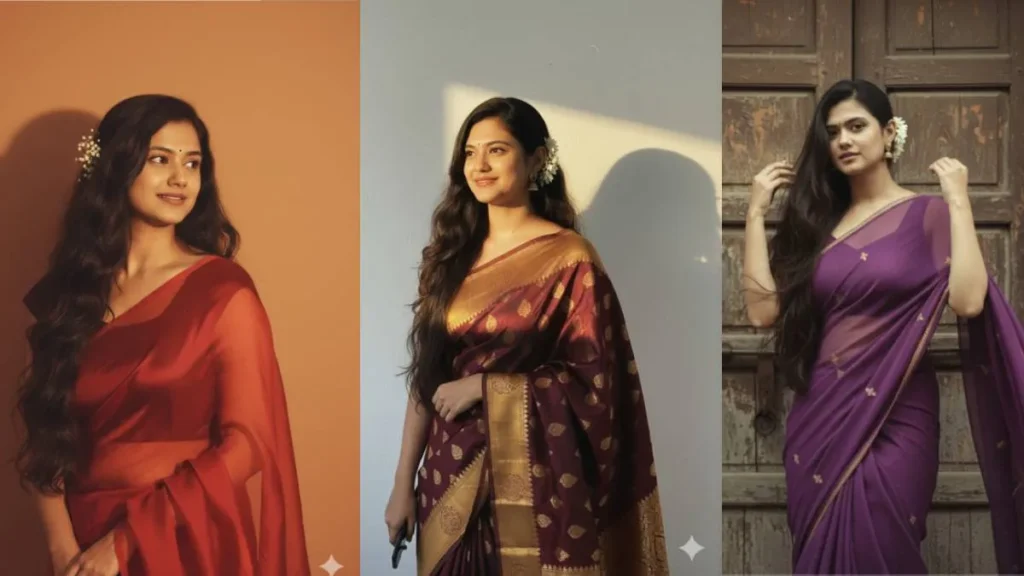
“Transform the subject into a classic Bollywood heroine in a flowing red chiffon saree, hair styled in soft waves. Background should be warm-toned, minimalist, with glowing sunset light giving a romantic and dramatic mood.”
Purple Chiffon Vibe
“Reimagine this photo in a retro, grainy yet bright style. The subject wears a purple chiffon saree with a playful, moody vibe. She stands in front of an old wooden door as wind blows through her hair, evoking a 90s cinematic scene.”
Banarasi Elegance
“Convert this person into a timeless portrait draped in a golden Banarasi saree, with a flower tucked into the hair. The lighting is golden and artistic, casting a soft glow. The background is textured but simple, like an art-house poster.”
Rainy Bollywood Scene
“Turn the uploaded photo into a cinematic 90s Bollywood rain sequence. The subject wears a dark saree, drenched and glistening, with dramatic rain falling in the background. Lighting is moody and romantic, capturing monsoon nostalgia.”
Pastel Picnic Look
“Create a vintage pastel saree look — soft pink drape, hair tied in a bun, minimal jewellery. She is seated on the grass at a dreamy outdoor picnic scene, captured in soft film grain with a romantic glow.”
Retro Film Poster
“Reimagine this person as the star of a 1990s Bollywood movie poster. Bold typography behind her, spotlight lighting, and a vibrant saree in neon or metallic shades. Expression is intense, cinematic, and larger than life.”
How to Create Your Own Gemini AI Saree Photos?
Here’s a simple step-by-step process to join this viral retro AI saree trend:
- Sign in to Google Gemini: Use your Google account on the Gemini platform or ChatGPT interface.
- Select Nano Banana Tool: Look for the Banana icon labeled “Try Image Editing.”
- Upload Your Photo: Choose a clear, solo portrait with your face visible for best results.
- Insert a Prompt: Copy-paste one of the retro saree prompts or write your own detailed description.
- Generate & Customize: Let AI work its magic, then tweak lighting or sari colors as needed.
- Save & Share: Download your AI-generated retro Bollywood saree photo and share it on Instagram, reels, or WhatsApp for maximum impact.
Why Is the Gemini AI Saree Trend So Popular?
The trend taps into the universal appeal of vintage Bollywood glam while incorporating cutting-edge AI tech for easy, artistic photo transformations. Its accessibility means anyone can become the star of a glamorous 90s film poster, blending:
- Ease of Use: No graphic design skills needed—just the right text prompts.
- Customization: Numerous saree colors, styles, and moods possible.
- Nostalgia Factor: The vintage look triggers fond memories of classic Indian cinema.
- Social Media Ready: Perfect for Instagram aesthetics, reels, and story highlights.
Pros and Cons of Gemini AI Saree Photos
| Pros | Cons |
|---|---|
| Creates stunning, realistic vintage Bollywood looks | Sometimes facial features change unexpectedly |
| Easy and quick AI-based photo editing | Limited to solo portraits for best results |
| Great for Instagram influencers and personal branding | Some prompts may need trial and error to perfect |
| Offers artistic and customizable style options | AI edits work best on high-quality photos |
Conclusion
The Gemini AI Vintage Saree trend is more than just an Instagram fad—it’s a creative wave that revives the timeless allure of Bollywood’s golden era with a modern AI twist. Using well-crafted prompts, anyone can transform a simple selfie into a cinematic saree portrait filled with drama, elegance, and nostalgia. Whether for social media clout or personal fun, this trend invites everyone to embrace old-school glamour with a contemporary edge.
Try the best prompts, experiment with styles, and make your mark on this viral AI saree phenomenon today!