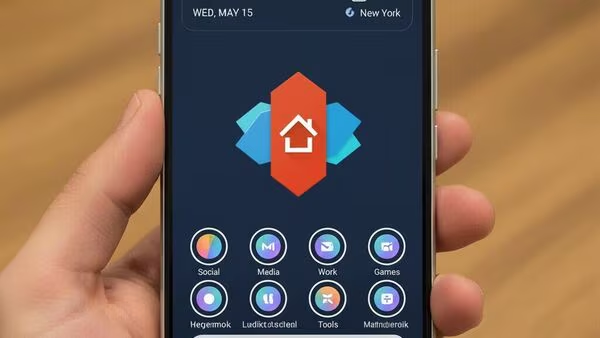

After more than a decade, the era of Nova Launcher—one of the most beloved and powerful Android launchers—is coming to a close. Nova Launcher’s sole developer, Kevin Barry, has stepped away from the project, and its parent company halted future development and the promised open-source plans. For lifelong Nova users, this signals an end of an iconic chapter in Android customization.
But there’s no need to lose heart or revert to boring stock launchers. A vibrant ecosystem of launchers exists to keep personalizing your Android home screen enjoyable and smooth. This guide explores the best Nova Launcher alternatives, highlighting their features, pros, cons, and why they deserve your attention in 2025 and beyond.
Why Nova Launcher’s End Matters
Nova Launcher wasn’t just another app on your phone—it was a toolkit for freedom, flexibility, and endless personalization. For many Android enthusiasts, it became the gold standard for:
- Custom icon packs
- Precise grid and layout controls
- Gestures and shortcuts
- Notification badges
- Smooth animations and performance
Since its acquisition by Branch, updates slowed, and development stalled, culminating in layoffs and the departure of its last developer. Nova Launcher remains usable, but without updates, compatibility with future Android versions is uncertain.
If you treasure a highly customizable launcher, now is the perfect time to explore alternatives that echo Nova’s spirit while bringing their own unique flair.
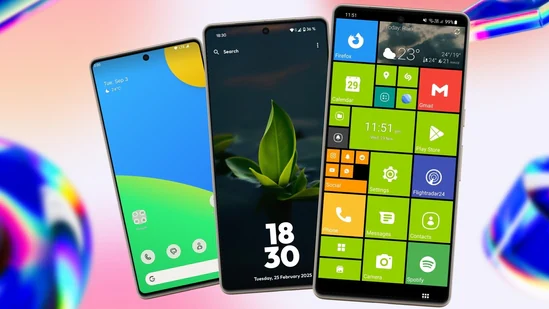
Top Android Launchers to Replace Nova Launcher in 2025
Here is a handpicked list of Nova Launcher alternatives that combine customizability, smooth performance, and fresh designs to fit various user preferences.
1. Lawnchair Launcher
🎨 Clean, Pixel-Like, Open Source
Lawnchair offers a near-stock Pixel experience but with powerful customization options familiar to Nova users. It supports icon packs, notification dots, and Google Feed integration, making it excellent for those who want a clean yet versatile home screen.
Pros:
- Lightweight and smooth
- Highly customizable icon packs and layouts
- Google Feed integration
- Open source and actively maintained
Cons:
- Some features require fine tuning
- Occasional minor bugs in latest Android versions
2. Niagara Launcher
📱 Minimalist & One-Handed Friendly
Niagara takes a fresh approach with a vertical list layout optimized for one-handed use, unlike Nova’s traditional grid. Its minimal interface emphasizes simplicity without sacrificing customization like notification badges and app sorting.
Pros:
- Easy one-thumb navigation
- Minimal and distraction-free
- Smooth performance even on basic devices
- Customizable app list and favorites
Cons:
- Less widget support than Nova
- Unique design may take time to adapt to
3. Smart Launcher
⚙️ Organized & Efficient
Smart Launcher is for users who prioritize app organization and quick access. It automatically categorizes apps and includes gesture controls, adaptive icons, and a powerful built-in search, all in a minimal design that works well on entry-level phones.
Pros:
- Intelligent app sorting and categories
- Gesture and shortcut support
- Built-in search for apps and contacts
- Lightweight and battery efficient
Cons:
- Interface is different from traditional launchers
- Free version has limited customization
4. Kvaesitso Launcher
🧩 Deep Customization Without Overwhelm
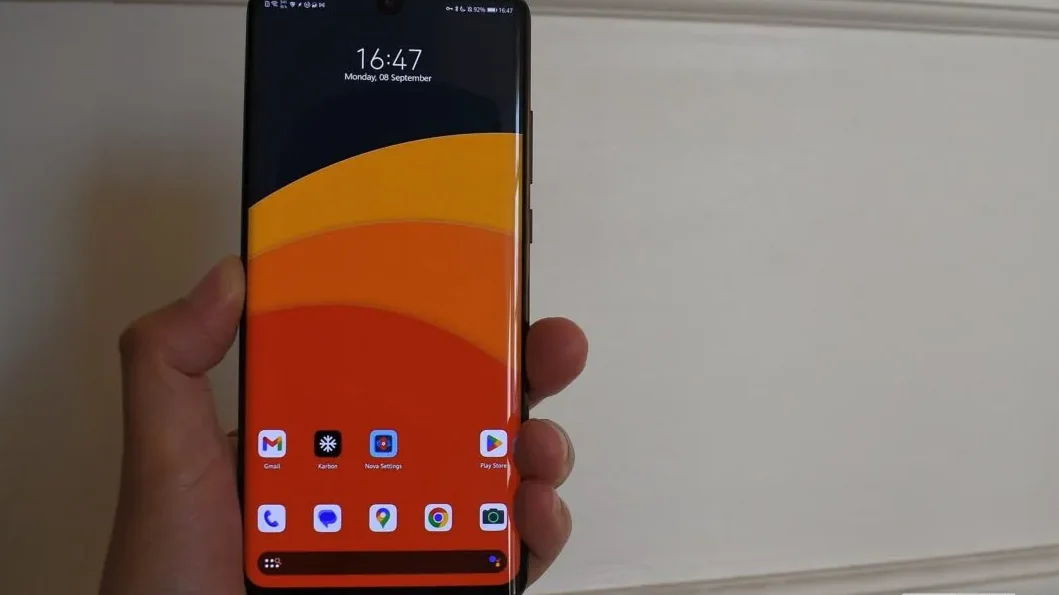
Kvaesitso focuses on rich personalization like Nova, offering flexible layouts, custom gestures, and widget support. While it might not be as well-known, it is highly capable for power users seeking control without added complexity.
Pros:
- Open source and privacy-focused
- Customizable grids, widgets, and gestures
- Lightweight with fast performance
Cons:
- Not available on Play Store (requires F-Droid install)
- Setup can be slightly technical for new users
5. Square Home
🟦 Unique Windows Phone Style
For those wanting a different visual style but customized experience, Square Home delivers a tile-based UI reminiscent of Windows Phone. It transforms widgets into tiles for easy interaction, combining nostalgia with functionality.
Pros:
- Unique tile-based interface
- Highly customizable tiles and layouts
- Ad-free and free to use
Cons:
- Interface differs drastically from Nova style
- Less minimalistic, more visually busy
6. Octopi Launcher
📦 Lightweight & Focused Minimalism
Octopi Launcher is inspired by iOS and minimalism, offering a clutter-free home screen with emphasis on app grids and folders. Ideal if you want distraction-free simplicity yet support for icon packs and wallpapers.
Pros:
- Very lightweight and fast
- Supports icon packs and wallpapers
- Minimal design reduces distractions
Cons:
- Few advanced customization options
- Not as feature-rich as Nova
How to Choose the Right Nova Launcher Alternative for You?
- If you want the closest Nova experience: Try Lawnchair or Kvaesitso for highly customizable layouts and a Pixel-like feel.
- If you prefer minimalism & one-handed use: Niagara or Octopi focus on simplicity without clutter.
- If you want slick app organization: Smart Launcher with its automatic sorting and gestures is a handy choice.
- If you want something fun and different: Square Home brings a fresh tile-based approach.
All these launchers support icon packs, gesture controls, and offer smooth, polished performance, breathing new life into your Android home screen.
Pros and Cons Summary Table
| Launcher | Pros | Cons |
|---|---|---|
| Lawnchair | Pixel look, open source, customizable | Minor bugs, feature tweaks needed |
| Niagara | One-handed design, minimal, fast | Fewer widgets, unique layout to learn |
| Smart Launcher | Auto app categorization, gestures, search | Different UI, limited free customization |
| Kvaesitso | Deep customization, open source, privacy | Complex install, technical for beginners |
| Square Home | Unique tiles, nostalgic, ad free | Busy interface, different from Nova |
| Octopi | Lightweight, minimal, distraction-free | Limited advanced features |
Final Thoughts
Nova Launcher’s legacy will remain a milestone in Android customization history. Its end is bittersweet, but an exciting new chapter begins with these fantastic alternatives, each tailored to different needs and styles. Exploring these launchers will keep your smartphone home screen personalized, efficient, and uniquely yours.
Make sure to try a few to find your perfect fit and backup your Nova settings before switching. The spirit of customization lives on in 2025 and beyond.
Call to Action
For more tech tips, detailed tutorials, and latest Android app guides, visit TipsRocket.in — your destination for mastering mobile customization and digital lifestyle!