
The start of “Intelligently Yours”
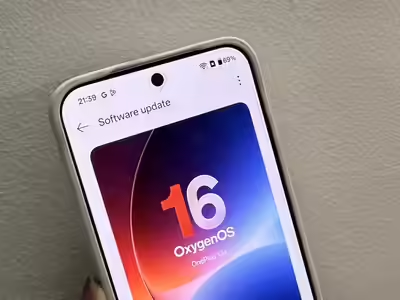
“Intelligently Yours” is the motto that Chinese company OnePlus used to show how OxygenOS 16 would change the way your phone learns and adapts to your habits. It came out on October 16, 2025. It’s not just a software update with faster graphics and new buttons; this update is based on Android 16. Apple products can now join to Plus Mind AI, Google Gemini, and other devices, so this is a real attempt to make your phone an extension of your mind.
The change doesn’t just make things look better. Oppo added helpful AI tools, Parallel Processing 2.0 to help with multitasking, and Gaussian blur effects that make the interface look like “Liquid Glass” to OxygenOS 16. If your productivity apps are spread out, your AI assistants don’t work well with each other, or moving between devices takes too long, you’ll love this update.
How does OxygenOS 16 fix things?
Every week, smartphones take hundreds of pictures, record voice memos, and make notes. As much as we mean to save them, most of us forget where they are. You take a picture of a show poster to remember the date, save a recipe that you’ll “definitely try,” or take a screenshot of a meeting, but you never look at them again. Instead of helping you get things done, your phone turns into a digital junk box.
When you ask Google Assistant or Siri a general question, they can answer it, but they don’t know much about your personally. When you ask them to plan a trip around the places you’ve saved, they can’t start thinking of anything. They can’t link the screenshots you saved of Parisian cafés to your trip plans since they don’t have access to that private information.
Switching between devices adds another layer of hassle. You need to use the cloud, a cable, or a third-party app to move things between your OnePlus phone and MacBook. If you have both an iPhone and a OnePlus device, you’ll have to text or email yourself pictures to share them.
These are big problems that bother me. They’re daily speed bumps that cause people to lose time and forget to do things. OxygenOS 16 fixes these problems by automatically organising your digital life, linking AI to your personal data, and making it easy to share between devices.
Key Features & AI Integration
Plus Mind and Mind Space
Plus Mind is the centerpiece of OxygenOS 16, acting as a personal intelligence hub that captures and organizes everything you save. Activate it with a three-finger swipe or press the dedicated Plus Key on supported devices, and it saves screenshots, text, and other content to Mind Space—a central repository for your digital life.
Mind Space doesn’t just dump files into folders. It recognizes context. Take a screenshot of an event poster, and Plus Mind detects the date and venue, offering to add it to your calendar automatically. The system supports long screenshots, capturing entire articles or conversations in one go and indexing them for quick retrieval.
The Plus Key itself is customizable. Assign it to voice recording (up to 60 seconds), flashlight activation, Do Not Disturb mode, or toggling between ring and silent. Long-press it to record voice notes that Mind Space transcribes and organizes alongside your screenshots.
Google Gemini integration elevates Plus Mind from a storage tool to an active assistant. Enable the Gemini with Mind Space option, and the AI can access your saved content to generate personalized responses. Ask, “Create a five-day Paris itinerary using my saved locations,” and Gemini pulls data from your Mind Space—museum screenshots, restaurant bookmarks, hotel notes—to build a complete travel plan. You’re not feeding it generic prompts anymore. You’re having conversations grounded in your actual interests and saved information
AI Productivity Suite
OxygenOS 16 expands AI tools beyond Mind Space with features designed for work and creativity.
AI Writer now generates mind maps, charts, and social media captions directly from text. Select text anywhere in the system, tap the AI Writer icon, and choose to rewrite, summarize, or expand. Writing a project outline? Convert it into a visual mind map or structured table instantly. Need Instagram captions? AI Writer analyzes your photo and suggests engaging text tailored for social platforms.
AI Scan converts physical documents, whiteboards, or handwritten notes into shareable PDFs. Capture documents at any angle, and the tool automatically adjusts lighting and perspective before creating an editable PDF. This works seamlessly for meeting notes on glass boards or receipts you need to expense later
AI Portrait Glow improves the look of faces in photos with low light by changing the lighting on the fly. After dinner or an event in the evening, there will be no more dark, grainy photos.
Like Google’s Best Take, AI Perfect Shot blends several photos to swap faces that are awkward or have closed eyes. If you use burst mode to take several pictures, the AI will pick out the best parts of each one to make a single perfect picture.
AI PlayLab has some tools that are still being tested, but you can get early access to them. YumSee can translate meals written in other languages by making AI pictures of the food and changing the prices to your own currency. Party Up takes still photos and turns them into short movies with moving parts that are great for sharing on social media. “”

Design and performance upgrades
The “Breathe With You” design theory is used to make small changes to the way OxygenOS 16 looks. The design uses Gaussian blur effects more, giving buttons, the search bar on the home screen, and the Quick Settings panel a “Liquid Glass” look. Native apps like Clock and Calculator all have these see-through surfaces with rounded corners.
Parallel Processing 2.0 adds processing to the whole system, not just the home screen. With this technology, new graphics can begin before the old ones are over, so there is no lag when the app changes between screens. When you open one app and close another, the moves don’t wait for one to finish before moving on to the next.
OnePlus claims the system handles three hours of Instagram Reels or one hour of gaming with simultaneous phone calls and screen recording without slowdown. The OnePlus Pad 3 supports gliding between up to five apps with resizable floating windows.
Flux Theme 2.0 brings Motion Photos and video wallpapers to lock screens, with depth effects that make clocks and text appear behind wallpaper subjects. Lock screen widgets arrange vertically or horizontally depending on your theme, and a full-screen Always-on Display keeps wallpapers visible when the screen is off.
Fluid Cloud expands app compatibility for live lock screen updates. Get real-time notifications from Spotify, sports score trackers, and food delivery apps in a compact interactive bubble.
Pros & Cons
Pros:
OnePlus delivered genuine AI integration that accesses personal data securely on-device, not just cloud-based generic responses. The Google Gemini connection with Mind Space creates context-aware assistance that feels personalized rather than scripted.
Parallel Processing 2.0 makes multitasking noticeably smoother, handling demanding workflows like gaming while recording and taking calls simultaneously. The system maintains 120Hz fluidity even under heavy load.
Cross-device connectivity improved dramatically. O+ Connect now supports Mac and Windows PCs for wireless file sharing, screen mirroring, and full remote control. iPhone users can bring devices close together to share photos and files using the O+ app. OnePlus-to-OnePlus transfers work via Touch Interactions—just bump phones together for two-way file sharing.
AI productivity tools like AI Writer, AI Scan, and AI Portrait Glow solve real problems instead of adding gimmicks. Converting handwritten notes to PDFs or generating social media captions from photos saves actual time.
Lock screen customization expanded with widgets, new clock fonts, Motion Photo wallpapers, and depth effects. Personalizing your lock screen no longer requires third-party launchers
Cons:
Support for devices is added at different times. In November 2025, the update comes to the OnePlus 13, 12, and Open models, but not to the OnePlus 11. Users of that phone will have to wait until December 2025, and those with the OnePlus 10 Pro won’t get it until the first quarter of 2026. When OnePlus advertises features you can’t use yet, the wait can be annoying if you have an older model. It’s
Some experimental parts of AI PlayLab are still being tested, which means that YumSee and Party Up may give you different results. Early entry is first only available to Pioneer Players, which limits who can try out these tools. It’s
It looks like some of the changes were copied instead of being new. Fluid Cloud looks like Apple’s Dynamic Island, and the lock screen widgets that are based on iOS show that OnePlus is following rather than leading in some design areas. It’s
For the Google Gemini interface to work, the AI needs to be given more access to Mind Space data. People who care about their privacy might not want to give these permissions, even though the processing takes place on the computer. It’s
It’s not clear from the launch documents how Mind Space’s constant AI processing and background organisation affect the battery. OnePlus says AI-driven power management reduces battery drain, but weeks of testing in the real world will show what the real effect is.

Examples of Real-World Use
Making plans for a trip with Gemini and Mind Space: You want to go to Singapore over the weekend. In the past month, you’ve saved images of Reddit posts with suggestions for hawker centres, bookmarked hotel reviews, and taken pictures on Instagram of places you think everyone should see. You can ask Gemini to “Create a two-day Singapore itinerary using my saved travel content” instead of putting together all of this information by hand. Gemini goes into Mind Space, finds the places you’ve saved, and makes a daily plan for you that includes suggested meals, hotels close by, and journey times between places. It only takes seconds to do something that would have taken an hour of copying and pasting from different apps.
AI Writer turns meeting notes into text: Your team writes project ideas on a whiteboard during a planning session. From your spot, you use AI Scan to take a picture of the whiteboard at an angle. The tool changes the perspective, makes the writing clearer, and turns it into a PDF that can be shared. When you get back to your desk, you copy and paste the important points into a document, then pick the text and press AI Writer. If you choose “convert to mind map,” the tool will turn your list of notes into a picture that shows how the ideas are connected. Your team can see the mind map through Slack, so you don’t have to open any extra diagramming tools. “”
The OnePlus and iPhone can talk to each other. Your family has both OnePlus and Apple devices. You use your OnePlus 13 to take pictures at a party dinner. You put the O+ Connect app on your brother’s iPhone so that you don’t have to text photos one at a time or add them to a shared album. When you bring the devices close to each other, the proximity gesture starts the file sharing. It only takes seconds for photos to go from the OnePlus to the iPhone. There are no cables, Bluetooth pairing options, or quality loss from texting.
Compatibility with Devices and Schedule for Rollout
OxygenOS 16 will come out in three waves, from November 2025 to the first quarter of 2026.
The fix for the OnePlus 13, OnePlus 13R, OnePlus 13s, OnePlus Open, OnePlus 12, OnePlus 12R, OnePlus Pad 3, and OnePlus Pad 2 will come out in November 2025. These devices are given extra attention because they can handle AI processing and Parallel Processing 2.0 without slowing down.
These phones are all in the OnePlus 11 line and the mid-range Nord family: OnePlus 11 5G, OnePlus 11R 5G, OnePlus Nord 5, OnePlus Nord CE5, OnePlus Nord 4, and OnePlus Nord 3 5G. All of them will come out in December 2025. The flagship version is newer than these devices, but their computers are still powerful enough to run AI features smoothly.
There will be older high-end and low-cost phones like the OnePlus 10 Pro 5G, OnePlus Nord CE4, OnePlus Nord CE4 Lite 5G, OnePlus Pad, and OnePlus Pad Lite in Q1 2026 (January–March). Some Nord CE devices may not get any more updates after OxygenOS 16. This would mean that the software is no longer supported.
Since the time changes by area and carrier, it’s best to go to Settings > System & update > Software update and check it there by hand when the app update time comes around. When the OnePlus 15 comes out later in October 2025, it will be the first phone to already have OxygenOS 16 on it.
Some models went into open beta testing on October 17, 2025. This let early adopters try out features before the stable version. Downloading the OnePlus Community app and joining the beta program lets you get updates before they’re released to everyone else. However, beta software has bugs, and if you want to get rid of them, you have to do a hard reset.
The following types of smartphones are compatible: flagship, foldable, tablet, and mid-range OnePlus 13/13R/13s, OnePlus Open, OnePlus 12/12R, OnePlus 11/11R, OnePlus 10 Pro, OnePlus Nord 5/4/3, OnePlus Nord CE5/CE4/CE4 Lite, OnePlus Pad 3/2/Pad, and OnePlus Pad Lite.
FAQs
Which devices get the update first?
OnePlus 13, 13R, 13s, Open, 12, 12R, Pad 3, and Pad 2 receive OxygenOS 16 in November 2025. The OnePlus 15 launches with the update pre-installed later in October.
How does Plus Mind differ from Google Assistant?
Google Assistant responds to voice commands but lacks access to your personal saved content. Plus Mind organizes your screenshots, notes, and voice memos in Mind Space, then connects with Google Gemini so the AI can reference your specific data when answering questions. Instead of generic responses, you get personalized results based on what you’ve actually saved.
Is OxygenOS 16 based on Android 16?
Yes, OxygenOS 16 is built on Android 16. OnePlus adds its own features like Plus Mind, Parallel Processing 2.0, and Flux Theme 2.0 on top of Android 16’s foundation.
When will my device receive the update?
Check the rollout timeline: November 2025 for flagships (13, 12 series, Open, Pad 3/2), December 2025 for OnePlus 11 series and Nord 5/4/3, Q1 2026 for OnePlus 10 Pro and Nord CE models. Timing varies by region, so monitor Settings > Software update for availability.
What’s new in the beta program?
Open Beta started October 17, 2025, for OnePlus 13, 13s, 13R, 12, and Open. Beta testers access new features before stable release but encounter bugs and performance issues. Opting out requires a factory reset, so back up data before enrolling. Apply through the OnePlus Community app or website.
Conclusion
OxygenOS 16 delivers on its “Intelligently Yours” promise by making AI feel useful instead of intrusive. Plus Mind organizes your digital chaos into searchable, context-aware content that Google Gemini can actually use to help you plan trips, convert notes, or find that screenshot from three weeks ago. The update solves real friction points—scattered files, disconnected AI, clunky device switching—without requiring you to learn new workflows.
Parallel Processing 2.0 keeps multitasking smooth even during heavy use, and cross-device connectivity finally works with Apple products alongside OnePlus and Windows ecosystems. The visual refresh with Gaussian blur and Flux Theme 2.0 adds polish without overwhelming the interface.