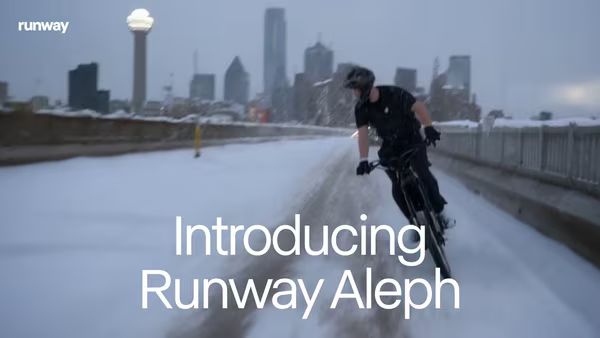

In the ever-evolving world of content creation, Runway, the New York-based artificial intelligence company, has once again raised the bar. Their latest innovation, Runway Aleph, is a groundbreaking AI video editing and generation model that allows users to edit, transform, and generate high-quality videos using simple text prompts.
With Runway Aleph, editing videos is no longer confined to complicated software or manual timelines. Instead, creators, filmmakers, and businesses can make dynamic video alterations like adding or removing objects, modifying weather, generating new perspectives, and even extending footage — all through natural language commands.
Let’s dive deep into how Aleph works, what makes it different, and why it’s being hailed as the future of AI-driven video creation.
What Is Runway Aleph?
Runway Aleph is a next-generation video-to-video AI model designed to empower users with advanced in-context video editing capabilities. Its name, “Aleph,” is inspired by the first letter of the Hebrew alphabet, symbolizing new beginnings—a fitting metaphor for what it represents in the AI space.
Aleph leverages state-of-the-art machine learning algorithms to understand the context of a video and apply targeted transformations. This means you can tell it to “make this daytime park look snowy at night,” and the model will reimagine the scene without compromising on continuity or quality.
Whether you’re a content creator, filmmaker, marketing agency, or digital artist, Runway Aleph offers tools to revolutionize your post-production workflow.
Key Features of Runway Aleph
1. Text-to-Video Editing
With Aleph, you can edit video clips by simply typing your desired changes. Want to add fog to a forest scene? Change a sunny street to a rainy one? Or turn a summer day into a snowy winter night? Just describe it in plain English — Aleph does the rest.
2. Object-Level Manipulation
Aleph allows precise control over video content. You can:
- Add or remove objects
- Replace buildings or background elements
- Adjust facial features or costumes
- Remove reflections
- Swap out materials or recolor objects
These object-level tweaks happen seamlessly within the frame, with the rest of the visual narrative intact.
3. Environmental and Lighting Adjustments
The model can adjust lighting, weather, seasons, and the time of day — for example, turning a golden hour beach shot into a midnight storm scene without altering the essence of the footage.
4. Dynamic Camera Angles and Perspectives
Aleph can generate entirely new angles from an existing shot. Want a bird’s-eye view, a cinematic close-up, or a tracking shot from the side? Just ask.
This is a game-changer for filmmakers and video marketers, offering new creative possibilities without needing extra footage.
5. Motion and Style Transfer
Aleph supports motion pattern replication. For instance, if you want to replicate the smooth motion of a drone flying through a forest and apply that to a city scene, Aleph can do it — maintaining the movement dynamics and aesthetic style.
6. Scene Continuation and Frame Generation
Want to extend a video’s timeline or generate future frames? Aleph uses predictive modeling to seamlessly continue video narratives. This is ideal for short films, product ads, or social media content that needs more runtime.
Why Runway Aleph Is a Big Deal
The video editing world is on the verge of a revolution, and Runway Aleph is leading the charge. With Aleph:
- Time-consuming manual edits become effortless
- Expensive reshoots can be avoided
- Small teams can produce studio-quality content
- Marketers and creatives get more freedom, speed, and flexibility
Big names like Netflix, Amazon, and Disney already use Runway’s AI tools in production workflows. With Aleph’s arrival, even more professional-grade tools are becoming accessible to independent creators and small agencies.
Use Cases of Runway Aleph
🎬 Filmmakers & Directors
Save time and budget by making quick scene adjustments and visual effects in post-production.
📱 Content Creators & Influencers
Create engaging, trend-driven videos on the fly — no need for a full crew or reshooting.
🏢 Marketing Agencies
Produce client videos in diverse styles and settings using a single shoot, enhanced via AI.
🎨 Artists & Designers
Experiment with aesthetics, lighting, and visuals to create immersive storytelling.
What We Don’t Know Yet (But Want To)
While Runway has demonstrated Aleph’s capabilities in stunning previews, several technical details remain under wraps:
- Maximum supported video duration
- Export formats and aspect ratios
- System requirements for usage
- Pricing tiers for individuals or enterprises
- Availability for free-tier users
Currently, Aleph is in early release and available to enterprise and creative professionals. A broader public rollout is expected, but no official timeline has been confirmed.
How to Get Started with Runway Aleph
As of now, Aleph is being offered to selected creative users and enterprise clients. If you’re interested in early access:
- Visit Runway’s Official Website
- Follow Runway on X (formerly Twitter)
- Watch for updates and blog posts showing Aleph’s use cases
If you’re a content professional or digital artist, signing up early might give you a competitive edge in the evolving world of AI video production.
Final Thoughts: A New Era of AI Video Generation
Runway Aleph isn’t just a video editor — it’s a creative assistant, a production team, and a visual storyteller, all rolled into one powerful AI model. Its ability to transform, extend, and reimagine video content using simple commands represents a paradigm shift in how we produce visual media.
Whether you’re crafting cinematic experiences or creating viral TikToks, Runway Aleph offers a glimpse into the future of content creation—fast, flexible, and fully fueled by AI.
So, are you ready to edit the future?
📌 Frequently Asked Questions (FAQs)
Q1. Is Runway Aleph available for free users?
Not yet. It’s currently being rolled out to enterprise and creative users.
Q2. What kind of videos can I edit with Aleph?
Aleph supports all kinds of video content — from vlogs and commercials to short films and cinematic clips.
Q3. Do I need video editing skills to use Aleph?
No! Aleph is designed to work with text prompts, making it beginner-friendly.
Q4. When will Runway Aleph be fully available to the public?
Runway has not announced a public release date yet.
If you’re looking for the latest updates in AI tech and video editing tools, don’t forget to bookmark TipsRocket.in and stay ahead of the curve.