Samsung continues to innovate across its Galaxy devices, and the much-anticipated One UI 8 beta program is expanding to more users than ever before. Whether you’re a Galaxy fan, a tech enthusiast, or someone simply looking for the latest advancements in mobile software, One UI 8 offers a wealth of new features designed to make your smartphone experience more efficient and enjoyable.
In this article, we’ll explore everything you need to know about Samsung’s expanded One UI 8 beta program, including which devices are eligible, the exciting new features that come with it, and the pros and cons of joining the Beta. Let’s dive in!
What is One UI 8?
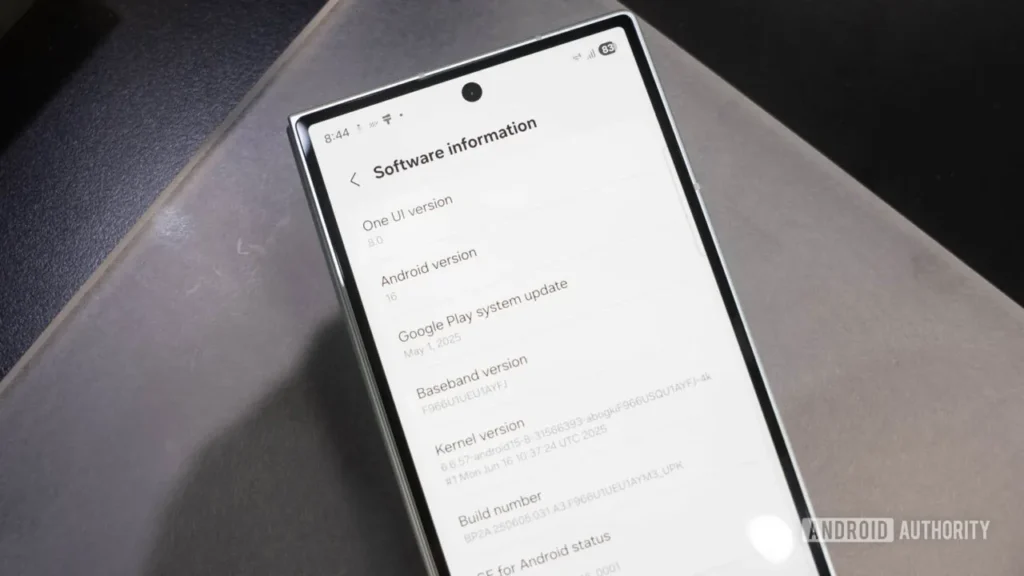
One UI 8 is Samsung’s custom Android skin that enhances the performance, usability, and aesthetics of its Galaxy devices. With AI-powered features, multimodal capabilities, and improved productivity tools, One UI 8 is designed to provide a more intuitive and personalized experience across various Samsung devices, including smartphones, tablets, and wearables.
Key Features:
- 📱 AI-Powered Smart Features: One UI 8 brings smarter interactions and personalized suggestions to your device based on your real-time context.
- 🤖 Multimodal Capabilities: Seamless integration across Galaxy devices (smartphones, tablets, wearables) for better multitasking.
- 🎧 Google Gemini Voice Activation: Easily interact with your phone through voice commands when paired with Galaxy Buds3 or Buds3 Pro.
Samsung One UI 8 Beta: Expansion to More Devices
Launched earlier this year with the Galaxy S25 series, the One UI 8 beta program is now being expanded to include a broader range of Galaxy devices, making it accessible to more users than ever before.
Devices Joining the One UI 8 Beta Program
- Next Week (August 2025):
- Galaxy S24 Series (S24, S24+, S24 Ultra)
- Galaxy Z Fold6
- Galaxy Z Flip6
- September 2025:
- Galaxy S23 Series
- Galaxy Z Fold5 & Z Flip5
- Galaxy A Series Devices (A36 5G, A55 5G, A35 5G, A54)
These devices will be able to receive One UI 8 beta updates in select regions, including South Korea, the U.S., the U.K., and India.
What’s New in One UI 8?
One UI 8 introduces several new features designed to enhance user productivity, AI integration, and multimodal capabilities. Below are some of the most exciting updates:
1. Smarter AI Integration 🤖
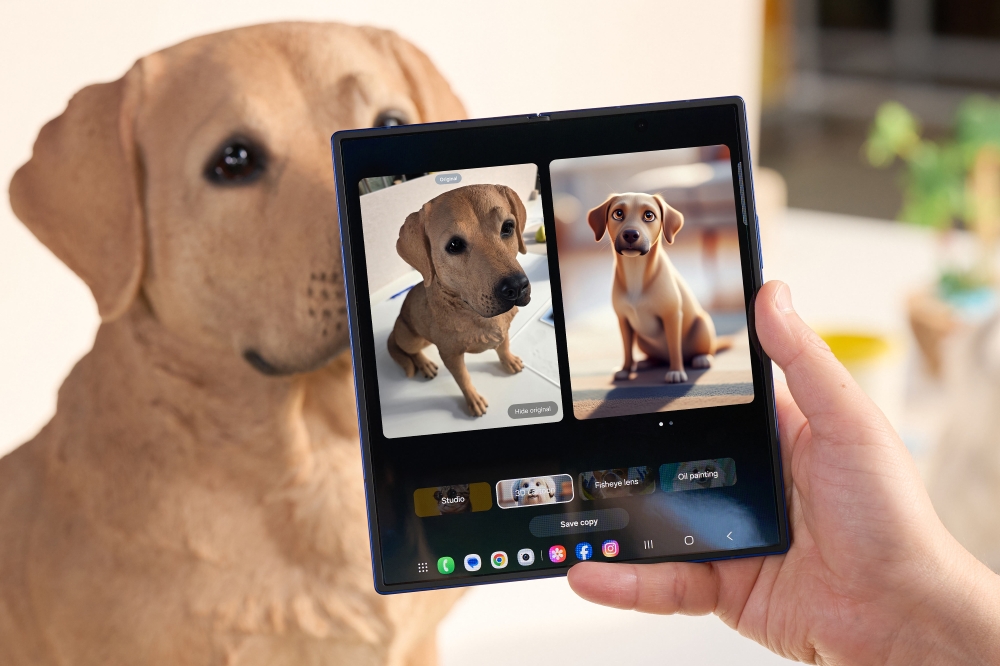
One UI 8’s AI capabilities go beyond simple suggestions. It now understands your daily habits and context, offering more personalized recommendations. Whether you’re at work, home, or on the go, your phone can predict your needs—whether it’s opening an app, adjusting the volume, or even suggesting a break during a busy workday.
2. Seamless Multimodal Capabilities 📱💻
Gone are the days of device isolation. One UI 8 brings cross-device functionality, allowing your Galaxy smartphone, tablet, and wearables to interact seamlessly. Users can easily transfer files, switch between apps, or even control multiple devices at once, increasing productivity and multitasking efficiency.
3. Google Gemini Voice Activation 🎤
For Galaxy Buds3 and Buds3 Pro users, One UI 8 adds the ability to activate Google’s Gemini assistant with a simple voice command or a long press on the earbud. Whether you’re on a run or cooking dinner, you can access Google’s assistant hands-free for tasks like setting reminders, sending texts, or checking the weather.
4. Improved Multitasking 🖥️
If you own a Galaxy Z Fold6 or Z Flip6, One UI 8 enhances multitasking with better app management. You can now open multiple apps side by side, resize windows, and quickly switch between tasks. This makes Galaxy foldables even more productive, bringing desktop-like efficiency to a pocket-sized device.
5. More Customization Options 🎨
Personalization gets an upgrade in One UI 8. From themes to widget management, users can further tailor the interface to their preferences. Want your home screen to reflect your mood? Now, it’s easier than ever to make your device feel like your own.
How to Join the One UI 8 Beta Program
Ready to test out the new features? Here’s how you can register for the One UI 8 beta program and experience the future of Samsung software.
- Download the Samsung Members App 📲:
- If you haven’t already, head to the Google Play Store or Galaxy Store and download the Samsung Members app.
- Sign In or Create an Account 👤:
- Open the app and sign in with your Samsung account. Don’t have one? It’s easy to create one directly within the app.
- Locate the Beta Program 📑:
- Once logged in, go to the One UI Beta Program section under the Notices tab.
- Register for the Beta ✅:
- Follow the prompts to sign up for the Beta. If your device is eligible, the beta software will be available for download once it’s ready.
- Provide Feedback 💬:
- During the beta phase, you’ll have the opportunity to submit Feedback. Samsung uses this Feedback to iron out any issues and improve the final version of One UI 8.
When Will the Official One UI 8 Update Arrive?
The official release of One UI 8 is slated for September 2025, starting with the Galaxy S25 series. The update will gradually roll out to other devices, including the Galaxy S24, Z Fold6, and Z Flip6, as well as the Galaxy A series. By the end of the year, users will have full access to One UI 8’s features and improvements.
Pros and Cons of the One UI 8 Beta Program
Joining a beta program can be an exciting way to experience the latest features before anyone else. However, like any software update, there are pros and cons to consider.
Pros of Joining the One UI 8 Beta Program:
- 🚀 Be the First to Try New Features: Get early access to cutting-edge features and enhancements.
- 💬 Provide Feedback: Share your Feedback with Samsung to help shape the final release of One UI 8.
- 🔄 Improved Productivity: Experience new features designed to enhance productivity, like multitasking on foldable devices.
- 🤖 Smarter AI: Enjoy the benefits of AI that adapts to your habits, offering smarter, more intuitive suggestions.
Cons of Joining the One UI 8 Beta Program:
- ⚠️ Potential Bugs and Glitches: As a beta user, you may encounter some bugs or performance issues. Be prepared for occasional instability.
- 🕒 Limited Features: Some features may not be fully polished or available in the beta version.
- ⏳ Delayed Updates: Beta users may need to wait for additional updates to fix issues or optimize performance.
Conclusion: Is the One UI 8 Beta Worth Joining?
If you’re eager to explore the newest features and don’t mind dealing with a few bugs here and there, joining the One UI 8 beta program could be a great option with its smarter AI, multimodal capabilities, and enhanced multitasking tools, One UI 8 promises to take your Samsung Galaxy experience to new heights.