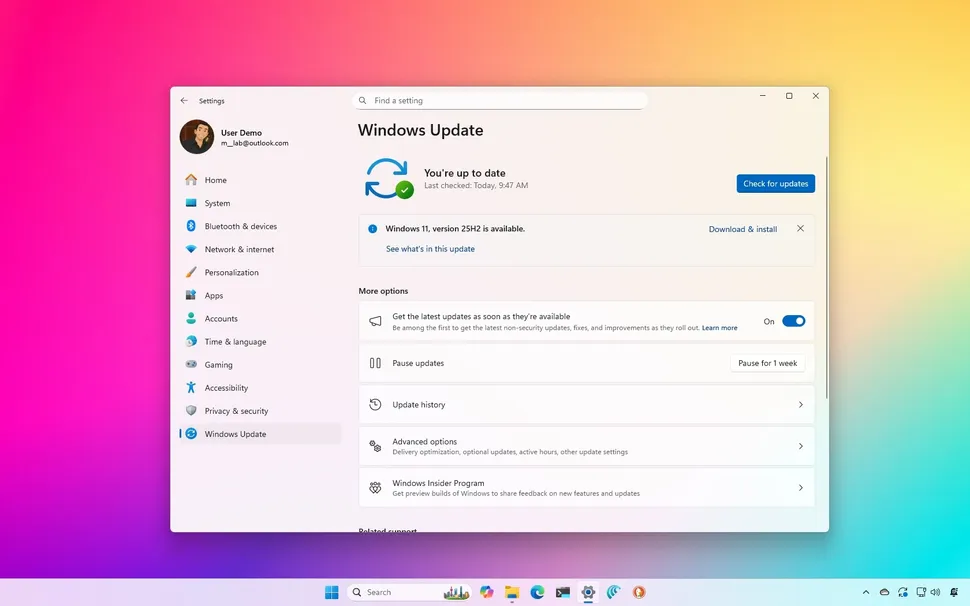

Microsoft has officially rolled out its September 2025 Security Update for Windows 11 (version 24H2) as part of the monthly Patch Tuesday refresh. While security fixes and stability improvements are always the highlight of these cumulative updates, this time around, Microsoft has included 9 exciting new features and UI changes that make Windows 11 even more polished and user-friendly.
From a redesigned Windows Hello sign-in experience to improvements in Windows Search and system personalization, this update sets the stage for the upcoming Windows 11 25H2 feature update scheduled for later this year.
If you’re wondering what exactly is new in the September 2025 Security Update, let’s break down all the features you will get after installing it on your PC.
🔐 1. A Refreshing Homepage for Recall App
One of the key additions is the new homepage for the Recall app. Recall, which debuted with Copilot+ PCs earlier this year, now has a cleaner and more intuitive starting point.
- The homepage helps you quickly revisit recent activities.
- It organizes snapshots in an easy-to-navigate timeline.
- AI-powered suggestions now appear more prominently.
With this update, Recall feels less experimental and more like an integrated AI-powered productivity hub inside Windows.
🤖 2. Click to Do Gets Interactive Tutorial on Copilot+ PCs
Microsoft continues to refine Click to Do, a feature designed to simplify task execution using Copilot. With this update:
- A new interactive tutorial guides users on how to create AI-powered actions.
- Copilot+ PCs can now demonstrate Click to Do scenarios with step-by-step onboarding.
- Tasks like scheduling, file management, or sending quick emails are easier than ever.
This is a significant touch for beginners adopting AI workflows in Windows 11.
🕒 3. Display Clock with Seconds in Notification Center
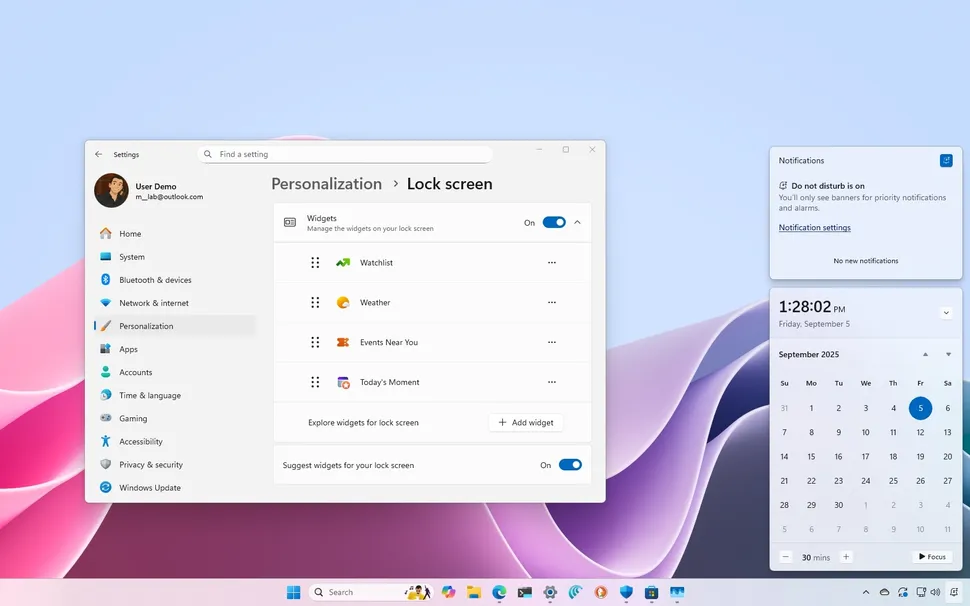
For years, advanced users have requested a seconds option for the system clock in Windows. Microsoft has finally delivered:
- You can now toggle an option in Settings > Personalization > Taskbar to display the clock down to the seconds in the Notification Center.
- This is particularly useful for IT professionals, traders, or anyone monitoring time-sensitive workflows.
It’s a small but much-appreciated addition for power users.
🔎 4. Windows Search Gets a New Grid View for Photos
Searching images inside your PC is now much more intuitive:
- Photo search results now appear in a grid layout instead of a long list.
- This makes it easier to visually scan and quickly select the right image.
- Grid view also shows more metadata like dimensions and file size.
This feature aligns with Windows 11’s design philosophy of making search more visual and helpful.
👁️ 5. Windows Hello Redesign Across the OS
One of the biggest visual upgrades of this update is the revamped Windows Hello design.
- The face/fingerprint/PIN authentication system now features a sleeker interface.
- Animations become smoother with better consistency across apps.
- Security options now blend seamlessly with the Settings app for faster changes.
This feels like Microsoft’s attempt to rebuild trust in Windows Hello and streamline security with aesthetics.
⚙️ 6. Settings App Enhancements
The Settings app continues to evolve every update. This time, you’ll notice:
- Easier navigation with category improvements.
- Enhanced Accessibility settings grouped in a smarter way.
- Personalization options now include extended themes and wallpapers.
- Better visibility for Windows Update controls and restart scheduling.
With these improvements, users should find settings faster, especially when fine-tuning Windows according to their needs.
📂 7. Unified Backup and Restore Upgrades
While not as flashy as Recall or Copilot, Microsoft has quietly improved the backup and restore functionality:
- Cloud backups are linked more directly into OneDrive.
- Settings, apps, wallpapers, and even pinned items are included in backups.
- Restoring a new PC now feels like cloning your old system.
This improvement helps make migrating to a new Windows 11 device almost seamless.
🎨 8. Taskbar and Notification Updates
The taskbar and notification center get small yet noticeable design refinements:
- Notifications have clearer icons, making urgent alerts stand out.
- Taskbar animations feel smoother, especially during multitasking.
- The Systray (system icons corner) gets modernized hover effects.
It’s not a huge overhaul but contributes to Windows 11’s ongoing design consistency efforts.
🔧 9. Security Fixes and Performance Improvements
As always with a Patch Tuesday update, security remains a top priority:
- Microsoft has patched several zero-day vulnerabilities.
- System integrity checks now happen less disruptively in the background.
- Performance tuning improves boot-up times and app handling.
These under-the-hood adjustments ensure your PC is more stable and secure while running the latest Windows build.
🏆 Pros and Cons of the September 2025 Windows 11 Update
✅ Pros
- 🖥️ Brings fresh design improvements (Windows Hello UI, taskbar refinements).
- 🤖 Expands AI features with Recall and Click to Do.
- ⏱️ Adds long-awaited seconds display in the clock.
- 🔎 Modernizes Windows Search with image grid results.
- ⚙️ Makes Settings app more user-friendly and powerful.
- 🔧 Improves performance and security stability.
❌ Cons
- ⏳ Some changes (like Recall homepage) are still exclusive to Copilot+ PCs.
- 📦 Update size can be heavy for users with limited bandwidth.
- 🐞 As with all Patch Tuesday rollouts, some users may experience minor bugs or app compatibility issues.
⚡ How to Get the Windows 11 September 2025 Update
If your PC is already on Windows 11 version 24H2, the cumulative update will appear automatically through Windows Update.
- Go to Settings > Windows Update > Check for updates.
- Download and install the patch.
- Restart your system to apply changes.
If you’re still running Windows 11 version 23H2, you must first upgrade to 24H2 before the September 2025 patch becomes available.
Final Thoughts
The Windows 11 September 2025 Security Update is a strong monthly rollout that introduces not only essential security patches but also visual, productivity, and AI-focused upgrades. While Microsoft is preparing its major Windows 11 25H2 update for release soon, this September patch serves as a refreshing mid-cycle upgrade for users worldwide.
Whether you’re excited about the new Recall homepage, the revamped Windows Hello interface, or just want that long-awaited seconds display on your taskbar clock, this update is definitely worth installing.
With Windows 11 evolving rapidly in 2025, it’s clear Microsoft is steering towards a future where AI-enhanced usability and stronger personalization take center stage.